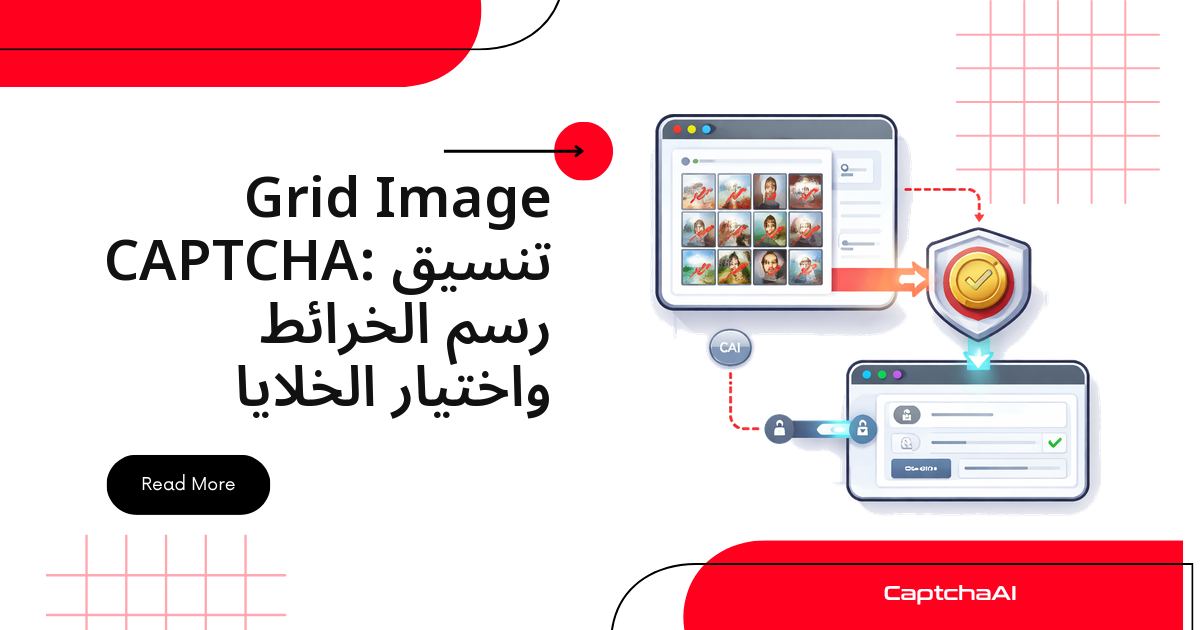
عندما تحلّ CaptchaAI تحدي صور شبكية مثل تحديات reCAPTCHA v2، فإنها لا تنقر على الشبكة نيابةً عنك؛ بل تُعيد قائمة بأرقام الخلايا التي يجب تحديدها، مثل [1, 3, 6, 9]. مهمتك بعد ذلك واضحة: حوّل هذه الأرقام إلى إحداثيات بكسل داخل الشبكة، ثم انقر على المربعات الصحيحة. يسير هذا الدليل في أربع خطوات عملية — التقاط الشبكة، إرسالها، تحويل الفهارس إلى إحداثيات، ثم تنفيذ النقر — مع أمثلة جاهزة في Python مع Selenium وJavaScript مع Puppeteer.
كيف يعمل مسار الحل من البداية إلى النهاية
تحدي الصور الشبكية ليس صورة واحدة، بل عنصر داخل إطار iframe منفصل تديره reCAPTCHA، مصحوب بتعليمات نصية مثل «حدد كل المربعات التي تحتوي على إشارات المرور». الخطوات الأربع سلسلة متصلة، كل خطوة تُغذّي التي تليها:
- التقاط الشبكة والتعليمات من داخل إطار التحدي، مع تحديد حجم الشبكة: 3×3 أو 4×4.
- إرسال الصورة إلى CaptchaAI مع كلمة مفتاحية مستخلصة من التعليمات، ثم استطلاع النتيجة.
- تحويل الفهارس المُعادة إلى إحداثيات مركز كل مربع بالبكسل.
- تنفيذ النقر على تلك الإحداثيات ثم الضغط على زر التحقق.
تخطيطات الشبكة وترتيب الترقيم
تعتمد تحديات الصور على حجمين قياسيين للشبكة، ويحدّد كل منهما نطاق الفهارس التي ستستقبلها:
3×3 Grid:          4×4 Grid:
1  2  3            1   2   3   4
4  5  6            5   6   7   8
7  8  9            9  10  11  12
                   13  14  15  16
تُرقَّم الخلايا من اليسار إلى اليمين ثم من الأعلى إلى الأسفل، بترتيب القراءة نفسه: الرقم 1 هو الخلية العلوية اليسرى، والأخير — 9 في شبكة 3×3 و16 في شبكة 4×4 — هو السفلية اليمنى. تتبع فهارس CaptchaAI الترقيم ذاته، فيكفي أن تعرف أبعاد الشبكة وعدد الأعمدة لتحديد أي خلية.
الخطوة 1: التقط صورة الشبكة والتعليمات
المفتاح هنا هو الانتقال إلى إطار iframe الصحيح. تضع reCAPTCHA تحدي الصور في إطار منفصل عن مربع الاختيار الأولي، وهو عادةً الأخير في الصفحة، لذا نختار iframes[-1]. بعد الدخول إليه نلتقط ثلاثة عناصر:
- صورة الشبكة لحفظها بصيغة base64.
- نص التعليمات لاستخلاص الكلمة المفتاحية منه.
- فئة CSS التي تكشف حجم الشبكة: 3×3 أم 4×4.
Python باستخدام Selenium
import base64
from selenium import webdriver
from selenium.webdriver.common.by import By
from selenium.webdriver.support.ui import WebDriverWait
from selenium.webdriver.support import expected_conditions as EC

driver = webdriver.Chrome()
driver.get("https://example.com/form")

# Wait for reCAPTCHA iframe
WebDriverWait(driver, 10).until(
    EC.presence_of_element_located((By.CSS_SELECTOR, "iframe[src*='recaptcha']"))
)

# Switch to challenge iframe
iframes = driver.find_elements(By.CSS_SELECTOR, "iframe[src*='recaptcha']")
challenge_iframe = iframes[-1]  # Challenge iframe is typically the last one
driver.switch_to.frame(challenge_iframe)

# Get the grid image
grid_img = driver.find_element(By.CSS_SELECTOR, "img.rc-image-tile-33, img.rc-image-tile-44")
img_src = grid_img.get_attribute("src")

# Get instruction text
instruction = driver.find_element(
    By.CSS_SELECTOR, ".rc-imageselect-desc-wrapper"
).text
print(f"Instruction: {instruction}")

# Screenshot the grid as base64
img_b64 = grid_img.screenshot_as_base64

# Determine grid size
classes = grid_img.get_attribute("class")
grid_size = "4x4" if "44" in classes else "3x3"
print(f"Grid size: {grid_size}")

driver.switch_to.default_content()
نستخدم WebDriverWait بدل الانتظار الثابت لأن إطار reCAPTCHA يُحمَّل بشكل غير متزامن، والانتظار حتى ظهوره يمنع خطأ «العنصر غير موجود». وبعد التقاط الصورة نعود إلى المحتوى الرئيسي عبر switch_to.default_content().
JavaScript باستخدام Puppeteer
const puppeteer = require('puppeteer');
const fs = require('fs');

const browser = await puppeteer.launch({ headless: false });
const page = await browser.newPage();
await page.goto('https://example.com/form');

// Find the challenge iframe
const frames = page.frames();
const challengeFrame = frames.find(f => f.url().includes('recaptcha'));

// Get instruction
const instruction = await challengeFrame.$eval(
  '.rc-imageselect-desc-wrapper',
  el => el.textContent.trim()
);

// Screenshot the grid image
const gridImg = await challengeFrame.$('img.rc-image-tile-33, img.rc-image-tile-44');
const imgBuffer = await gridImg.screenshot();
const imgBase64 = imgBuffer.toString('base64');

// Determine grid size
const className = await challengeFrame.$eval(
  'img.rc-image-tile-33, img.rc-image-tile-44',
  el => el.className
);
const gridSize = className.includes('44') ? '4x4' : '3x3';
console.log(`Grid: ${gridSize}, Instruction: ${instruction}`);
النهج في Puppeteer مماثل: يستخدم page.frames() للعثور على الإطار الذي يحتوي رابطه على recaptcha، ثم يلتقط الصورة. الناتج في الحالتين واحد: الصورة والتعليمات وحجم الشبكة.
الخطوة 2: أرسل الصورة إلى CaptchaAI
نرسل الصورة إلى نقطة النهاية in.php، ثم نستطلع res.php حتى تجهز النتيجة. الحقلان الأهم هما grid_size — من الخطوة السابقة — وinstructions، أي الكلمة المفتاحية المستخلصة من التعليمات. في المثال نستخرج «traffic lights» بتعبير نمطي بسيط؛ وكلما دقّت الكلمة المفتاحية، دقّ تحديد الخلايا.
import requests
import time
import json

API_KEY = "YOUR_API_KEY"

# Parse the instruction to a simple keyword
# "Select all images with traffic lights" → "traffic lights"
import re
keyword_match = re.search(r'(?:with|of|containing)\s+(.+?)\.?$', instruction, re.I)
keyword = keyword_match.group(1) if keyword_match else instruction

# Submit
with open("/tmp/grid.png", "wb") as f:
    f.write(base64.b64decode(img_b64))

with open("/tmp/grid.png", "rb") as f:
    resp = requests.post("https://ocr.captchaai.com/in.php",
        files={"file": f},
        data={
            "key": API_KEY,
            "method": "post",
            "grid_size": grid_size,
            "img_type": "recaptcha",
            "instructions": keyword,
            "json": "1",
        }
    ).json()

if resp["status"] != 1:
    raise Exception(f"Submit error: {resp['request']}")

task_id = resp["request"]

# Poll
for _ in range(20):
    time.sleep(5)
    result = requests.get("https://ocr.captchaai.com/res.php", params={
        "key": API_KEY, "action": "get", "id": task_id, "json": "1"
    }).json()

    if result["status"] == 1:
        cells = json.loads(result["request"])
        print(f"Cells to click: {cells}")  # e.g., [1, 3, 6, 9]
        break
    if result["request"] != "CAPCHA_NOT_READY":
        raise Exception(f"Error: {result['request']}")
يُعيد الطلب معرّف المهمة، ثم ندخل حلقة استطلاع كل خمس ثوانٍ حتى تجهز النتيجة كمصفوفة فهارس مثل [1, 3, 6, 9]. تعمل الخدمة بنظام الـ Threads: كل تحدٍّ يشغل خيطاً واحداً، فتحل عدة شبكات بالتوازي بحسب عدد خيوط باقتك.
الخطوة 3: حوّل فهارس الخلايا إلى إحداثيات
هذه هي الخطوة التي يخطئ فيها معظم المطورين. الفهرس مجرد رقم، والمتصفح لا يفهم الأرقام بل يفهم إحداثيات (x, y) بالبكسل. الدالة التالية تحوّل أي فهرس بنظام الأساس الواحد إلى إحداثيات مركز الخلية:
def cell_to_coordinates(cell_index, grid_size, grid_width, grid_height):
    """Convert a 1-based cell index to (x, y) center coordinates."""
    if grid_size == "3x3":
        cols, rows = 3, 3
    else:
        cols, rows = 4, 4

    cell_w = grid_width / cols
    cell_h = grid_height / rows

    # Convert 1-based index to 0-based row/col
    idx = cell_index - 1
    col = idx % cols
    row = idx // cols

    # Center of the cell
    x = col * cell_w + cell_w / 2
    y = row * cell_h + cell_h / 2

    return int(x), int(y)

# Example: grid is 300×300
for cell in cells:
    x, y = cell_to_coordinates(cell, grid_size, 300, 300)
    print(f"Cell {cell} → ({x}, {y})")
المنطق مباشر: نقسم عرض الشبكة على عدد الأعمدة لنحصل على عرض الخلية، ثم نحسب الصف والعمود من الفهرس عبر باقي القسمة والقسمة الصحيحة. ولشبكة أبعادها 300×300 بكسل يكون الناتج:
Cell 1 → (50, 50)
Cell 3 → (250, 50)
Cell 6 → (250, 150)
Cell 9 → (250, 250)
هذه الإحداثيات نسبية إلى الشبكة نفسها لا إلى الصفحة كاملة، وهو ما نعالجه في خطوة النقر التالية.
استهدف دائماً مركز الخلية لا حافتها؛ فالنقر قرب الحدود قد يقع في الخلية المجاورة بعد تقريب المتصفح للبكسل.
الخطوة 4: نفّذ النقر على الخلايا
بقيت ترجمة الإحداثيات إلى نقرات فعلية. في Selenium نستخدم ActionChains مع move_to_element_with_offset؛ الإزاحة تُحسب من مركز عنصر الشبكة لا من ركنه العلوي الأيسر، لذلك نطرح نصف العرض ونصف الارتفاع.
النقر عبر Selenium
from selenium.webdriver.common.action_chains import ActionChains

driver.switch_to.frame(challenge_iframe)

# Get grid element position and size
grid_el = driver.find_element(By.CSS_SELECTOR, ".rc-imageselect-target")
grid_rect = grid_el.rect
grid_w = grid_rect["width"]
grid_h = grid_rect["height"]

actions = ActionChains(driver)

for cell in cells:
    x, y = cell_to_coordinates(cell, grid_size, grid_w, grid_h)
    # Click relative to grid element's top-left corner
    actions.move_to_element_with_offset(
        grid_el,
        x - grid_w / 2,  # offset from center
        y - grid_h / 2
    ).click()

actions.perform()

# Click verify
verify_btn = driver.find_element(By.ID, "recaptcha-verify-button")
verify_btn.click()

driver.switch_to.default_content()
النقر عبر Puppeteer
في Puppeteer يمكن اتباع مسار أبسط: بدل حساب الإحداثيات يدوياً، نصل إلى خلايا الجدول مباشرةً عبر الصفوف والأعمدة وننقر عليها كعناصر DOM.
// Click each cell by index
const tableRows = await challengeFrame.$$('table.rc-imageselect-table tr');
for (const cellIdx of cells) {
  const row = Math.floor((cellIdx - 1) / (gridSize === '4x4' ? 4 : 3));
  const col = (cellIdx - 1) % (gridSize === '4x4' ? 4 : 3);
  const cell = (await tableRows[row].$$('td'))[col];
  await cell.click();
  await new Promise(r => setTimeout(r, 200));
}

await challengeFrame.click('#recaptcha-verify-button');
كلا النهجين ينتهي بالضغط على زر التحقق #recaptcha-verify-button. ومتى تختار أيهما؟
- نهج الجدول حين تكون بنية الـ DOM ثابتة ومعروفة.
- نهج الإحداثيات حين تحتاج دقة بكسلية أو تتعامل مع صورة كبيرة بلا جدول خلايا واضح.
التعامل مع البلاطات الديناميكية
بعض شبكات reCAPTCHA v2 تستبدل المربع المنقور بصورة جديدة بدل إنهاء التحدي، فتظل الجولة مفتوحة حتى تختفي كل الأهداف. الحل حلقة إعادة محاولة: في كل جولة نلتقط الشبكة، نرسلها، ننقر، ثم نتحقق من انتهاء التحدي.
def solve_with_dynamic_tiles(driver, api_key, max_rounds=3):
    for round_num in range(max_rounds):
        driver.switch_to.frame(challenge_iframe)

        # Re-capture grid and instruction
        img_b64 = driver.find_element(
            By.CSS_SELECTOR, "img.rc-image-tile-33"
        ).screenshot_as_base64

        # Submit and get cells (same as above)
        cells = submit_and_poll(api_key, img_b64, "3x3", keyword)

        if not cells:
            break

        # Click cells
        click_cells(driver, cells, "3x3")

        # Click verify
        driver.find_element(By.ID, "recaptcha-verify-button").click()

        driver.switch_to.default_content()
        time.sleep(2)

        # Check if solved (no more challenge iframe)
        try:
            driver.switch_to.frame(challenge_iframe)
            driver.switch_to.default_content()
        except Exception:
            return True  # Solved

    return False
نحدّد max_rounds=3 لتجنب الحلقات اللانهائية حين يتعذّر الحل. وإن لم يُغلق التحدي بعد الحد الأقصى، فالأفضل إعادة تحميل الودجت بالكامل بدل الاستمرار في الدورة نفسها.
سيناريو عملي: أتمتة اختبار الجودة لنموذج حجز إقليمي
تخيّل فريق تطوير في القاهرة أو الرياض يبني نموذج حجز مواعيد يعتمد على reCAPTCHA v2 المصوّرة، ويريد اختبار مسار الحجز آلياً قبل كل إصدار. تشغيل عشرات اختبارات القبول يدوياً عند كل تحدٍّ مصوّر أمر غير عملي. هنا يتكامل CaptchaAI مع خط اختبار الجودة: يلتقط السكربت الشبكة، يرسلها، ويحصل على الفهارس، فيكمل النموذج دورته دون تدخل بشري.
أما التكلفة فتبدأ من باقة BASIC بسعر 15 دولاراً شهرياً مع 5 خيوط ومحاولات غير محدودة لكل خيط، وهو ما يكفي لبيئة اختبار صغيرة؛ ومع اتساع التشغيل المتوازي عبر خطوط CI/CD يمكن الترقية إلى خيوط أكثر. النموذج قائم على الخيوط لا على عدد عمليات الحل، فتبقى الكلفة الشهرية متوقعة.
استكشاف الأخطاء وإصلاحها
معظم مشكلات الحل الشبكي تعود إلى واحد من أربعة أسباب:
| المشكلة | السبب المحتمل | الإصلاح |
|---|---|---|
| فهارس خاطئة في الاستجابة | قيمة grid_size غير صحيحة |
تأكد من قراءة فئة CSS لتحديد 3×3 أو 4×4 |
| النقرات تقع خارج الخلايا | حساب الإزاحة غير دقيق | تحقق من أبعاد عنصر الشبكة الفعلية وقت التشغيل |
ERROR_WRONG_FILE_EXTENSION |
تنسيق صورة غير مدعوم | أرسل الصورة بصيغة PNG أو JPEG |
| ظهور بلاطات جديدة بعد النقر | شبكة ديناميكية | كرّر الحل بعد كل جولة كما في القسم السابق |
أسئلة شائعة
كيف أعرف إن كانت الشبكة 3×3 أم 4×4 قبل الإرسال؟
اقرأ فئة CSS لعنصر الصورة: تحمل الشبكة الأكبر اللاحقة 44 في rc-image-tile-44، والأصغر اللاحقة 33. هذه الفئة تحدد قيمة grid_size ونطاق الفهارس: من 1 إلى 9 مقابل من 1 إلى 16.
لماذا تقع النقرات في المكان الخطأ رغم أن الفهارس صحيحة؟
غالباً لأن الإحداثيات تُحسب نسبةً إلى الصفحة لا إلى الشبكة، أو لأن الأبعاد في الحساب لا تطابق المعروضة فعلياً. اقرأ rect لعنصر الشبكة وقت التنفيذ بدل افتراض قيمة ثابتة مثل 300×300.
هل أحتاج متصفحاً حقيقياً أم يكفي إرسال الصورة فقط؟
إن كان هدفك الحصول على الفهارس فقط، يكفي إرسال الصورة عبر in.php دون متصفح. أما تنفيذ النقر على الودجت فيتطلب Selenium أو Puppeteer، لأن reCAPTCHA تتحقق من تفاعل حقيقي داخل الإطار.
كيف أتعامل مع الشبكات التي تُحدّث بلاطاتها باستمرار؟
استخدم حلقة إعادة المحاولة الموضّحة في قسم البلاطات الديناميكية، مع حدٍّ أقصى للجولات. أعد التقاط الصورة وإرسالها في كل جولة، لأن محتوى المربعات يتغير بعد كل نقرة.
هل تصلح الطريقة نفسها لشبكات صور خارج reCAPTCHA؟
نعم، ما دام التحدي شبكة صور مصحوبة بتعليمات. تختلف محددات CSS وبنية DOM من موقع لآخر، لكن المسار واحد: التقط الصورة، أرسلها بـ method=post، ثم حوّل الفهارس المُعادة إلى إحداثيات نقر.
ابدأ حلّ تحديات الصور الشبكية مع CaptchaAI
أنشئ مفتاح API وابدأ بإرسال أول شبكة خلال دقائق من captchaai.com.